


Want to know more?
Tell us your situation and a consultant will contact you in no time.
Contact us at

So simple that your parents can use it, so agile that your kids won't lose interest. That is the premise for everything we develop at Kuorum. Security and usability are our hallmarks. But don't trust us just because we say so, ask for a demo and see for yourself.
At Kuorum we apply a proprietary technology development system based on two premises: security by default and voter-centered design. Our flows have been tested by millions of voters of all ages around the world. We place special emphasis on usability for people with disabilities.
We are aware that digitalization only makes sense if it adds value. That is why all our processes have been designed to coexist with traditional systems such as paper and with a human touch.
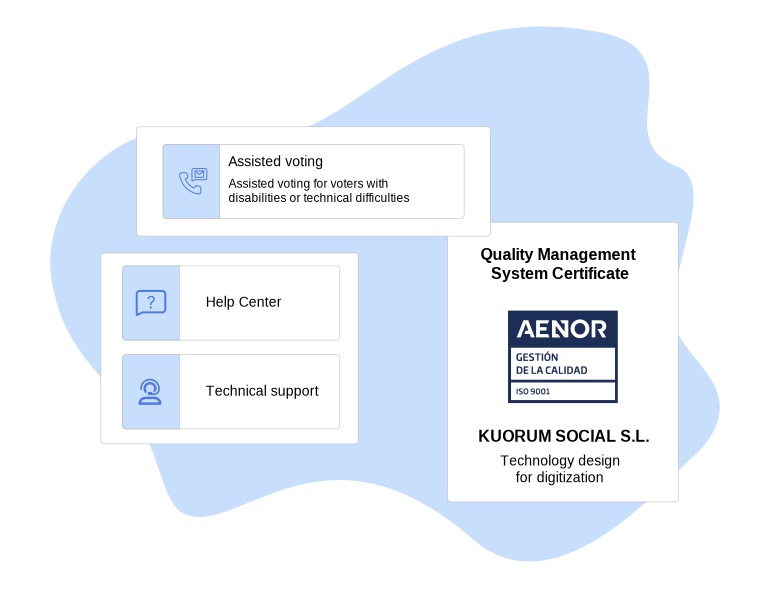
An online voting platform must be easy to understand and use, regardless of the voter’s experience or the device they use to participate. Kuorum is designed to meet the needs of people with limited digital skills: the process is intuitive, has no unnecessary steps, and offers alternatives when certain methods aren’t feasible for some people.
That’s why the platform adapts to situations that arise in any assembly, such as voters who don’t know how to use a QR code or who can’t remember their login information. In these cases, the voter isn’t excluded from the process: they’re offered another way to identify themselves and vote. Furthermore, at Kuorum, security and usability go hand in hand: a platform that’s difficult to use leads to issues, mistrust, and abstention, while one that doesn’t protect the vote doesn’t offer sufficient guarantees. At Kuorum, both aspects are integrated into every step of the process to ensure that voting is simple and secure.
You don’t have to take our word for it: request a demo and see for yourself.
A platform’s usability is also measured by how it handles issues when a voter encounters a problem. At Kuorum , access and voting issues are resolved quickly because the team can intervene in each voter’s process. Here are some examples:
- Customize QR code access by generating a personal QR code for that voter
- Remove the QR code from the login process when a voter cannot use it
- Temporarily disable two-factor authentication for people participating in the assembly in person or who have already authenticated themselves
Thanks to these options, most issues are resolved immediately, without interrupting the voting process and without the voter losing their right to participate.
In addition to resolving issues, Kuorum includes features that prevent them from occurring or allow them to be corrected while the assembly is in session:
> Secure identification at the access control point: Secure identification takes place before voting, at the access control point. When it’s time to vote, all voters are already identified and ready to participate, so the focus is solely on addressing any issues related to the vote itself or the question.
> Real-time monitoring of each voter’s status: At any time, you can see the status of each voter’s device—whether they’ve opened the ballot, are currently voting, or have already voted. This allows technical issues to be identified as soon as they arise—or even before—and resolved quickly.
> Editing questions and answers during the assembly: if objections arise or a point needs clarification, the question and its answers can be modified while the assembly is in progress, without having to cancel or restart the process.
>Real-time quorum calculation: The quorum calculation is automatically updated throughout the entire meeting. The quorum may change if someone leaves or disconnects from the video conference, and the platform takes this into account at all times, ensuring that the vote is always valid.

Integrate with leading video conferencing tools to offer your remote constituents a seamless experience. Compatible with all platforms, such as Zoom, Teams, Webex and many more.


At Kuorum we help people around the world make collective decisions that matter. Tell us your goals and we'll tell you how we can help.


This means that any voter, without technical knowledge or prior training, can access the voting process, understand the questions being asked, cast their vote, and confirm that it has been recorded correctly.
At Kuorum, every workflow is designed so that voters can complete the process in just a few steps, with clear instructions and without having to make any technical decisions. Furthermore, if a problem arises, the platform allows for quick resolution so that voters can participate.
Yes. Kuorum is designed for people with limited digital skills, so voters of all ages can use it. Our workflows have been tested by thousands of voters, including those with little digital experience.
In addition, the organization can provide in-person support to these voters.
No. Voters don't have to configure anything or understand how the technology works. They just have to identify themselves, select their choice, and confirm. If they have any trouble accessing the system, the staff can resolve the issue on the spot.
This is particularly relevant for enterprise clients and resellers—such as event companies or law firms—that offer voting as part of their service and need to maintain their brand image with their own clients. It is also useful for any organization that wants its voters to clearly identify who is organizing the vote.
No one is excluded from voting. Kuorum allows you to tailor access to each individual case: you can generate a personal QR code for that voter or remove the QR code from the login process. This way, anyone who doesn't know how to use a QR code can still identify themselves and vote.
Yes, on a temporary basis. It is one of the measures Kuorum offers to resolve access issues when a voter is unable to complete authentication, is voting in person, or does not receive the code on their phone.
Yes. At any time, it is possible to check the status of each voter’s device: whether they have started voting, are currently voting, or have already voted. This makes it possible to detect a technical problem as soon as it arises and resolve it quickly. Monitoring a voter’s status does not reveal how they voted; their vote remains secret.
Yes. The platform is designed so that this isn’t necessary, but each organization can offer assistance to anyone who needs it, with in-person support at the assembly, meeting, or voting session.
Since the team can see each voter’s status in real time, help arrives right when an issue arises. How to organize this support is determined with your Kuorum consultant during implementation.
We use a proprietary development system based on security by design and a voter-centered approach. Security is not added as an extra step but is integrated into the workflow: secure identification and secret voting are part of the standard voting experience. This provides voters with a streamlined process while ensuring that the organization maintains the necessary safeguards.
Secure identification takes place at the access control point before voting, whether in person or during virtual meetings. When it is time to vote, all voters have already been identified and are ready, so the only tasks remaining are to address any issues related to the voting process itself or the question being voted on.
It's a way of designing the product by starting with the user's needs, not those of the technology. This results in simple screens, easy-to-understand instructions, few steps, and clear confirmations.
Yes. Kuorum allows you to edit the question and its answers while the meeting is in progress. This is useful when there are responses, a point has been overlooked, or a concept needs to be clarified, because you can make corrections without interrupting the process.
Yes. We place special emphasis on usability for people with disabilities. One example is our work on accessible meetings for the third-sector platform. If your organization has specific accessibility needs, it’s best to discuss them during a demo to see how they apply to your voting process.
Yes. The less effort voting requires, the more people vote. A simple platform reduces the number of people who drop out midway through the process, minimizes confusion and issues, and makes it easier for more members, shareholders, professional association members, or citizens to participate. That is why participation is one of the benefits we aim to achieve through voter-centered design.
Yes. A clear voting process reduces voter errors and inquiries to the organizer, which decreases incidents and the support workload—and, consequently, costs. Added to these savings are the cost savings from online voting compared to in-person or paper-based voting, which also reduces emissions associated with travel and logistics.

Tell us your situation without obligation and a consultant will contact you.

Schedule a 30-minute product demo with our experts
